Control Exactly Who Can Touch Every File
Security starts with identity. Files.com gives you single sign-on across every major directory, automatic provisioning that tracks who joins and leaves, nine permission levels granted per user or per group, and admin roles you can scope down to a single folder. Run one team or a Fortune-2000 enterprise on the same access model, without writing custom provisioning glue and without losing track of who can reach what.
Identity Is The Foundation Everything Else Sits On
Get access wrong and every other control on the platform is built on sand. Files.com answers four questions: who is the person, how do they sign in, how do they get on and off the system over time, and what are they allowed to touch. Each answer is a setting you turn on and tune, not a fixed behavior you have to work around.
Every one of these controls works from the web admin, the API, CLI, and SDKs, and Terraform. Click it on in the browser, or manage your whole access model as code alongside the rest of your infrastructure.
How People Sign In
Connect the directory you already run, require a second login step where it matters, and let your provider create and remove accounts automatically.
Single Sign-On With Your Existing Directory
Let people sign in with the same account they already use everywhere else. Files.com supports SAML and OpenID Connect, with named connectors for Okta, Microsoft Entra ID, Active Directory, Google, JumpCloud, OneLogin, Auth0, Duo, and any SAML-compliant provider. You can run more than one provider on a single site, so internal staff sign in through your directory while outside vendors sign in with a Files.com password.
Two-Factor Authentication You Can Enforce
Two-factor authentication adds a second login step beyond the password, using hardware security keys, authenticator apps (TOTP codes), SMS, and email. People can enroll more than one method. On Power and Enterprise sites you can require it for everyone, or just for administrators, so a stolen password alone never gets anyone in.
Automatic Provisioning That Tracks Your Directory
Turn on SCIM and Files.com mirrors your directory automatically. SCIM is the standard protocol that lets your identity provider create, update, and deactivate accounts for you. Accounts get created, group memberships get applied, and access gets cut off the moment someone leaves, so you never set up file users by hand and a departing person keeps no access you forgot to revoke. SCIM works with SAML providers, and the sync runs on a schedule your provider sets, not a fixed Files.com interval. You can also provision through the API and CLI or by importing a CSV.
Hand Out Exactly The Right Slice Of Control
Delegated administration is the point: let a team run its own area without handing anyone the keys to the whole site.
Site Administrator
Full control over the whole site. Keep this group small, and keep at least one site administrator on a password login so a directory outage can never lock you out.
Folder Admin
Owns one folder tree, including its settings, automations, and contents. Can grant or remove other people’s access to it, recursively into subfolders. Cannot touch the rest of the site, create groups, or edit other users. This is how you let a team run its own area without handing over the whole site.
Group Admin
Manages only the people in their own group: creates, edits, enables, disables, and resets passwords. A site administrator decides exactly which of those powers each group admin holds. One person can run several groups, and a group can have several admins.
Read-Only, Workspace, Partner, And Billing Admins
Hand out narrower slices: a read-only admin who sees settings but changes nothing and gets alert emails, a workspace admin scoped to one workspace, a partner admin who runs only their own partner boundary, and a billing admin who sees invoices but no files.
Permissions Built For Real Scale
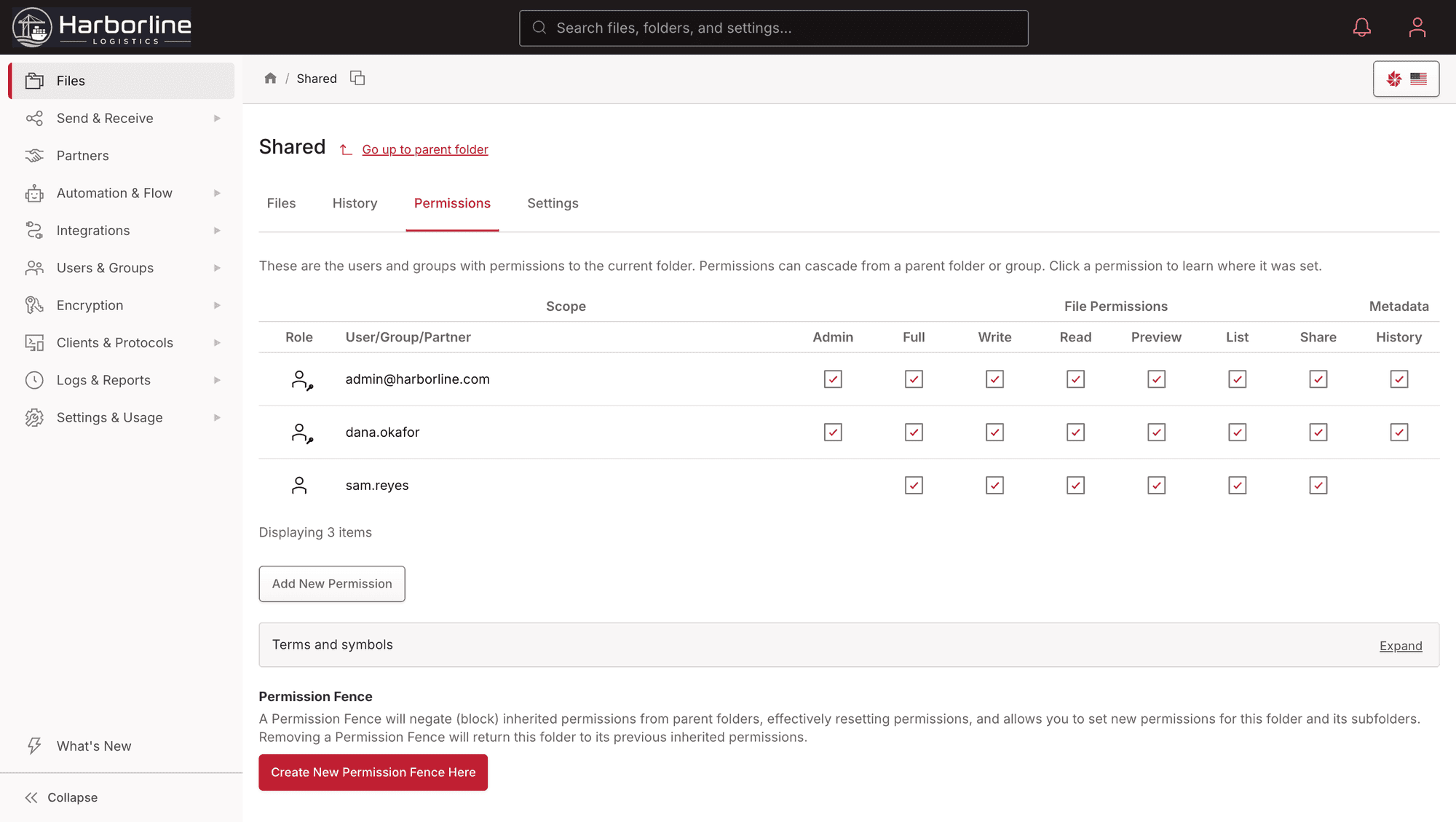
Nine Permission Levels, Per User Or Per Group
Grant access at the level the job needs, from full folder admin down through read/write, read-only, write-only (upload but never see what’s there), list-and-preview (look but no download), share-link creation, and history. Grant it to a person, or grant it to a group and have it apply to every member at once. So a vendor can drop files in without ever browsing the folder, and nobody holds more access than their job calls for.
Groups That Scale To Tens Of Thousands Of Users
Assign access to a group, not to people one by one. Add a folder to a group and everyone in it gets in immediately. Add a person to the group and they inherit everything the group can reach. A single site handles tens of thousands of users this way.
Allow-Only By Default
Everyone starts with no access, and only the grants you make apply. A person’s access is simply the sum of what they hold directly plus what their groups hold. Permission fences let you stop a broad grant from flowing down into a sensitive subfolder. That keeps a single mistaken grant from quietly exposing data, and it covers you when you migrate off an older system that relied on deny rules.
Secure, Automated, And Auditable
Accounts have a lifecycle, not just a creation date. Lifecycle rules can disable or delete dormant accounts automatically, with warning emails first. They leave your single sign-on users alone, since your directory owns those. When someone departs, their files and automations transfer to a successor instead of orphaning, so work in flight does not stall on a missing account. Every login, key rotation, and permission change lands in the immutable audit log.
Role-based access and two-factor authentication are on every plan. Single sign-on and enforced two-factor start on Power. Automatic SCIM provisioning is an Enterprise feature. See what each plan includes on the pricing page.
“Files.com just works. User maintenance is a non-issue with auto deprovisioning, and connecting with external partners has gotten dramatically simpler.”

User Administration Questions
What teams ask about signing in, provisioning, delegated admin roles, and keeping access to non-web protocols secure.
Stand Up Your Access Model In Minutes
Start a free trial, connect your directory, and grant the first folder to a group. Watch single sign-on, automatic provisioning, and granular permissions come together on one control plane.
No credit card required • Free for 7 days • Live in minutes