Common First Use Cases Teams Launch with Files.com
February 20, 2026
Adopting a new file transfer platform doesn’t have to mean a large-scale migration project.
When teams create a Files.com account, they don’t migrate everything at once. They focus on a single use case that needs attention - replacing an aging SFTP server, securing external uploads, or automating a recurring transfer.
Our Starter and Power plans make validating real-world use cases possible. You can validate value immediately, without committing to a broader deployment.
Most IT teams launch their first workflow within minutes. Here are the most common starting points.
That might mean replacing a legacy server, creating an endpoint for a new partner, isolating external file exchange, or consolidating scattered SFTP environments into one governed platform. Sometimes, it’s just getting off aging on-prem infrastructure that’s become a liability.
SFTP isn’t optional. Partners expect it. Systems depend on it. Compliance may require it.
What’s optional is running the server yourself.
Traditionally, SFTP meant provisioning hardware, opening ports, rotating keys, applying patches, monitoring uptime, and maintaining logs. Over time, a basic file transfer need turned into infrastructure overhead.
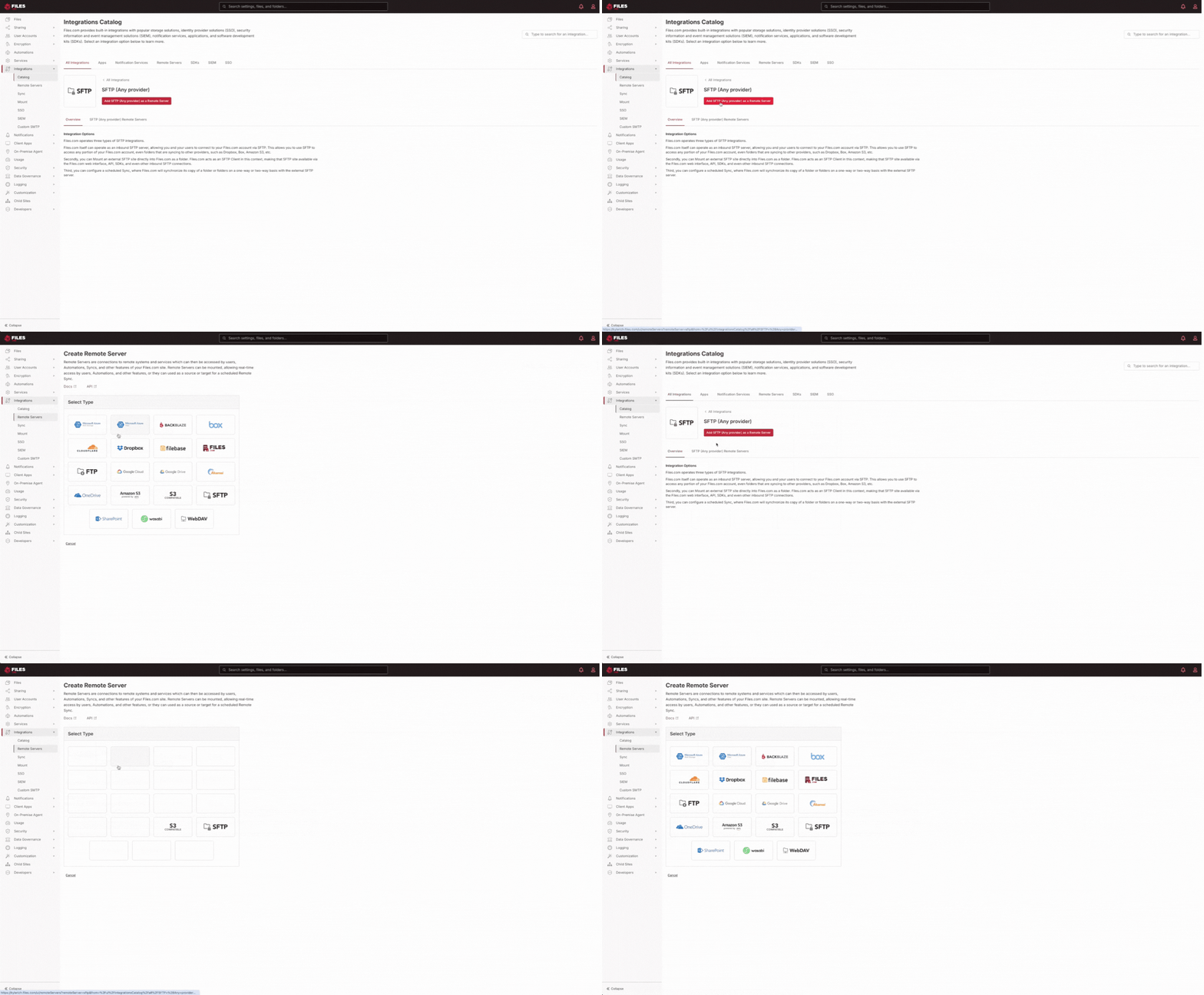
With Files.com, you create a secure SFTP endpoint directly in your account. Encryption is built in. Permissions are configurable immediately. Folder-level access controls and full audit logging are automatic.
There’s no server to patch. No OS to harden. No hardware to maintain.
IT manages access and workflows - not infrastructure.
For many teams, launching a single SFTP workflow is enough to validate security, confirm authentication methods, review logs, and test performance with real partners. No rollout required.
It’s often the first step toward modernizing file transfer.
Vendors send reports. Customers upload documentation. Partners deliver data files. Too often, those exchanges happen through email attachments or unsecured upload tools - creating unnecessary risk and limited visibility for IT.
With Files.com, teams generate secure upload links that allow external users to send files without creating an account. Files land in controlled folders with predefined permissions, and every action is automatically logged.
IT controls exactly where uploads go. Permissions are enforced from the start, such as file upload type, password protection, and notifications. Encryption protects files in transit and at rest. Activity is fully traceable. Access can expire automatically.
The experience is simple for the sender (but governed for your team).
It’s one of the fastest ways to eliminate unsecured file intake without introducing complexity.
And because it’s self-service, you can create a link and test it internally or with an actual vendor the same day. No onboarding process. No rollout required.
Governed File Sharing - Simple for Recipients, Controlled for IT
Sometimes the first need isn’t collecting files - it’s sending them.
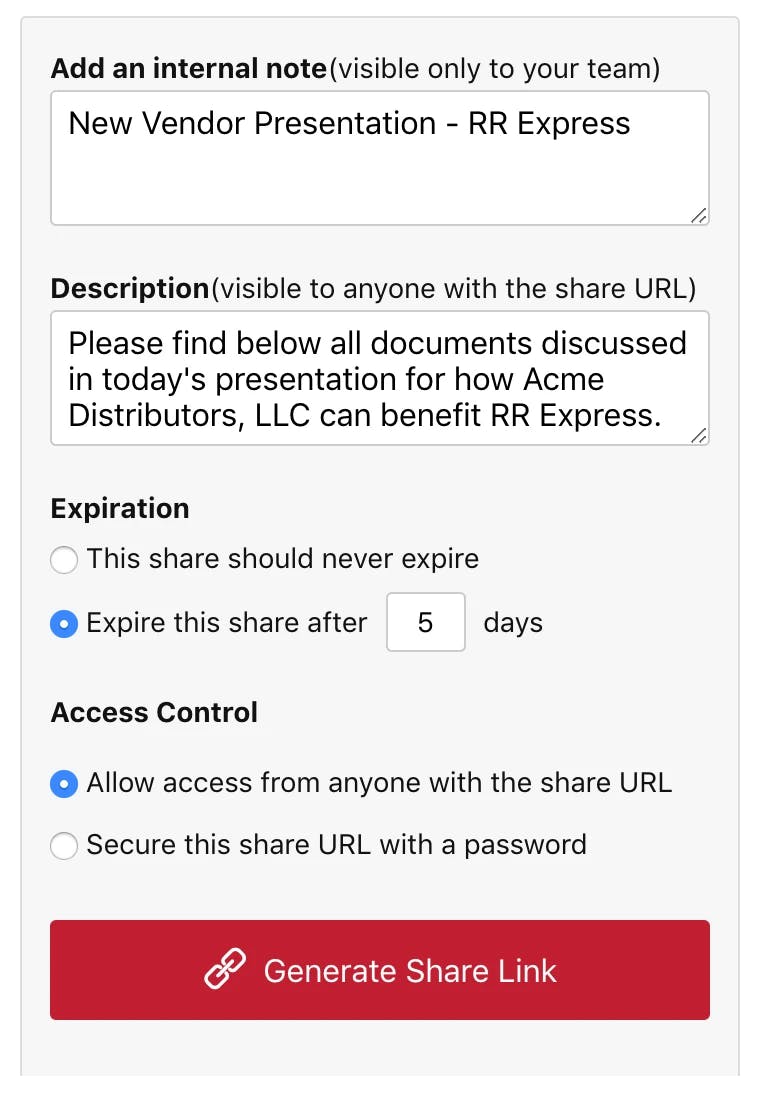
Instead of attaching documents to email or relying on consumer-gradesharing tools or clunky freeware, teams generate secure share links with built-in protections. Share links can expire automatically, require passwords, restrict access by user or folder, and provide full download tracking with detailed audit logs.
The experience is simple on the surface - click a link, download a file.
Behind the scenes, IT retains full visibility and control.
Every access event is logged. Permissions are enforced. Encryption protects files in transit and at rest. Compliance requirements remain intact.
For many organizations, this becomes the first visible win. External collaboration feels effortless for partners and clients, while governance remains uncompromised.
Start with One Workflow
Modernizing file transfer doesn’t require a full migration plan.
It starts with one secure workflow — launched, tested, and validated on your timeline.
As medical groups expand, file sharing becomes a compliance and operational challenge. Learn how healthcare IT teams deploy secure SFTP access, controlled upload workflows, and automated transfers without complex infrastructure projects.
In 2026, healthcare and life sciences organizations aren’t just modernizing — digital acceleration is mission-critical. AI is entering clinical use, cloud environments are expanding, interoperability rules are evolving, and automation is reshaping operations.
Getting started with managed file transfer doesn’t have to mean a massive rollout. Learn how teams quickly deploy a single secure workflow with Files.com and expand at their own pace.