Evaluations
Files.com records an Evaluation for every closed window. The Evaluations for an Expectation provide a history of past windows and their outcomes, including the evidence that explains each result.
A result includes which files were matched, how many, their combined size, and which criteria failed and why.
An Evaluation will open an Incident when a scheduled window fails and no Incident is already open for the associated Expectation.
Evaluation Timing
Files.com evaluates Expectations on a periodic schedule. Power plan sites are evaluated approximately every 15 minutes. Premier and Enterprise plan sites are evaluated approximately every 5 minutes.
File timestamps determine which delivery window a file belongs to and whether it meets the deadline. If your due time is 06:00 and the evaluation runs at 06:02, the due time deadline is still recorded as 06:00.
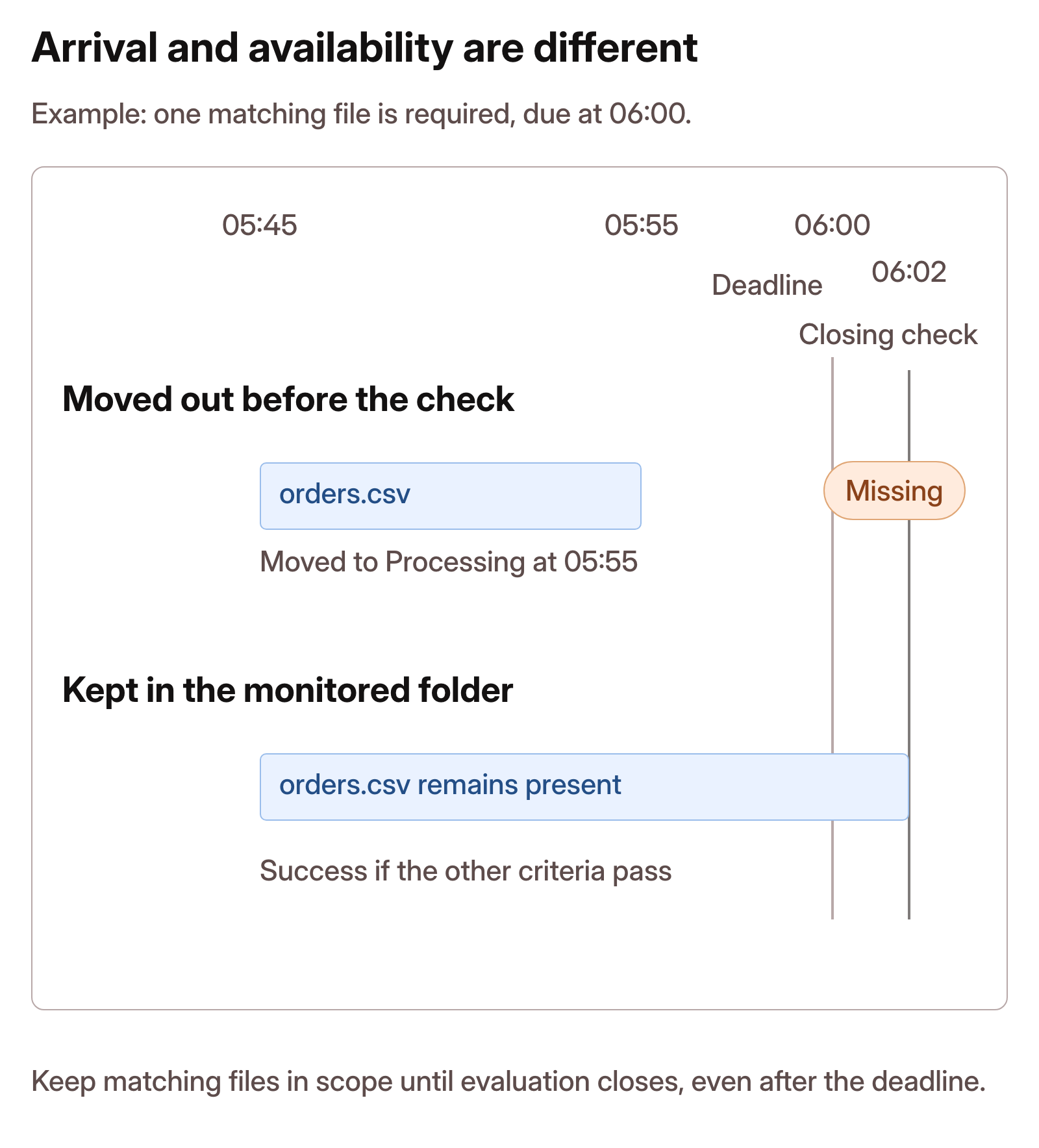
Each evaluation uses the matching files currently present in the monitored scope. While a window is open, the matched files and file-level results can change. Earlier matches do not carry forward if those files are deleted or moved outside the scope before the evaluation closes.
For example, a file uploaded at 05:45 and moved out of the monitored folder at 05:55 does not count toward a window due at 06:00. If no other files match the scope and time window when the closing evaluation runs, the result is Missing. That result does not establish that the folder received no files. History Logs provide the upload, move, and deletion activity needed to investigate what happened.
Keep matching files in scope until the Evaluation has closed, including when the scheduled evaluation runs after the due time. Expectations check the files available at evaluation time; they do not reconstruct the folder from its earlier activity.
Details Recorded in Evaluations
Evaluations contain the following information about each closed window.
| ITEM | DETAILS |
|---|---|
| Status | The status or result of the window: Open, Success, Late, Missing, or Invalid. |
| Opened Via | The trigger type that was used to open the Expectation window. |
| Opened At | The time that the evaluation was started. |
| Window Start | The start time of the evaluation window. |
| Window End | The time at which the window closed. |
| Deadline | The scheduled deadline for this window, if applicable. |
| Late Cutoff | The latest time files could arrive and still result in a Late outcome, if a late acceptance interval is configured. |
| Updated At | The time that the evaluation was last updated. |
| Closed At | The time that the evaluation finished. |
| Hard Close | The hard stop time, after which the window may not remain open. |
| Matched | The total number of files matched. |
| Missing | The total number of expected files that are missing. |
| Errors | The number of errors. |
| Summary | A summary showing the number of matched files, the number of matched bytes, and the outcome for the criteria. |
| Criteria Errors | Details of which criteria were not satisfied, including the specific rules that were violated. |
Criteria Errors
The Evaluation's Criteria Errors lists a separate message for each unsatisfied Criteria rule.
File-level criteria rules create pre-defined error messages to indicate the type of error and what went wrong. Errors for content validation rules support customized error messages using a message and detail supplied by your TransformScript.
The Evaluation's Criteria Errors always contains all of the errors from file-level criteria rules. It includes the first 100 content validation errors, limiting each error to 2 KB. If more than 100 errors are generated by a content validation rule, the Criteria Errors indicates how many content validation errors were omitted.
An Open Evaluation only shows the file-level criteria errors that have been found. Content validation rules are evaluated when the window closes. An Evaluation with no matching files present at its closing check is Missing rather than Invalid, because there is no content to validate.