Uploads
FTP clients control both the representation of file contents and how an upload finishes. Use Binary transfer mode to preserve bytes, and establish the client's completion behavior before an Automation or receiving system acts on a file. A file visible in the destination can still be incomplete.
ASCII and Binary Transfer Modes
The client's transfer mode determines whether FTP converts text line endings. Windows applications commonly use CRLF endings; UNIX, Linux, and macOS applications commonly use LF. Binary mode preserves the file, while ASCII mode performs conversion for text-oriented workflows.
Binary Mode (Recommended Default)
Use Binary mode for all file types unless the receiving system specifically requires line-ending conversion. It tells the client not to alter the transferred file and preserves its contents. This is the appropriate default for both text and non-text files.
ASCII Mode
ASCII mode converts CRLF to LF on upload to Files.com and LF to CRLF on download. Use it only for plain text whose line endings need that conversion. It changes the file contents and corrupts files that are not plain text. If content must arrive unchanged, configure Binary mode in the client.
FTP Mode Behavior
The site-wide FTP mode behavior setting can neutralize the client's ASCII request. It offers standard FTP behavior or emulation of the FTP server included with most Microsoft Windows Server releases, where the server ignores ASCII conversion.
Files.com does not recommend Windows FTP emulation for most customers because it introduces non-standard behavior across all FTP connections to the site. Prefer correcting the client's transfer mode. Use the compatibility setting only when a client cannot select the proper mode and its transfers are corrupting files.
Partial Uploads
The FTP protocol allows files to be partially uploaded. It provides the capability for data to be appended to the partial file, in anticipation of the rest of the file being uploaded later.
Unfortunately, a FTP server is unaware of whether an uploaded file is complete or partial. Only the client app knows if there is remaining data to be uploaded later. To make matters worse, there's no way for a server to know what "later" means for a client app. The remaining data might be sent a few minutes, hours, or days later or never at all.
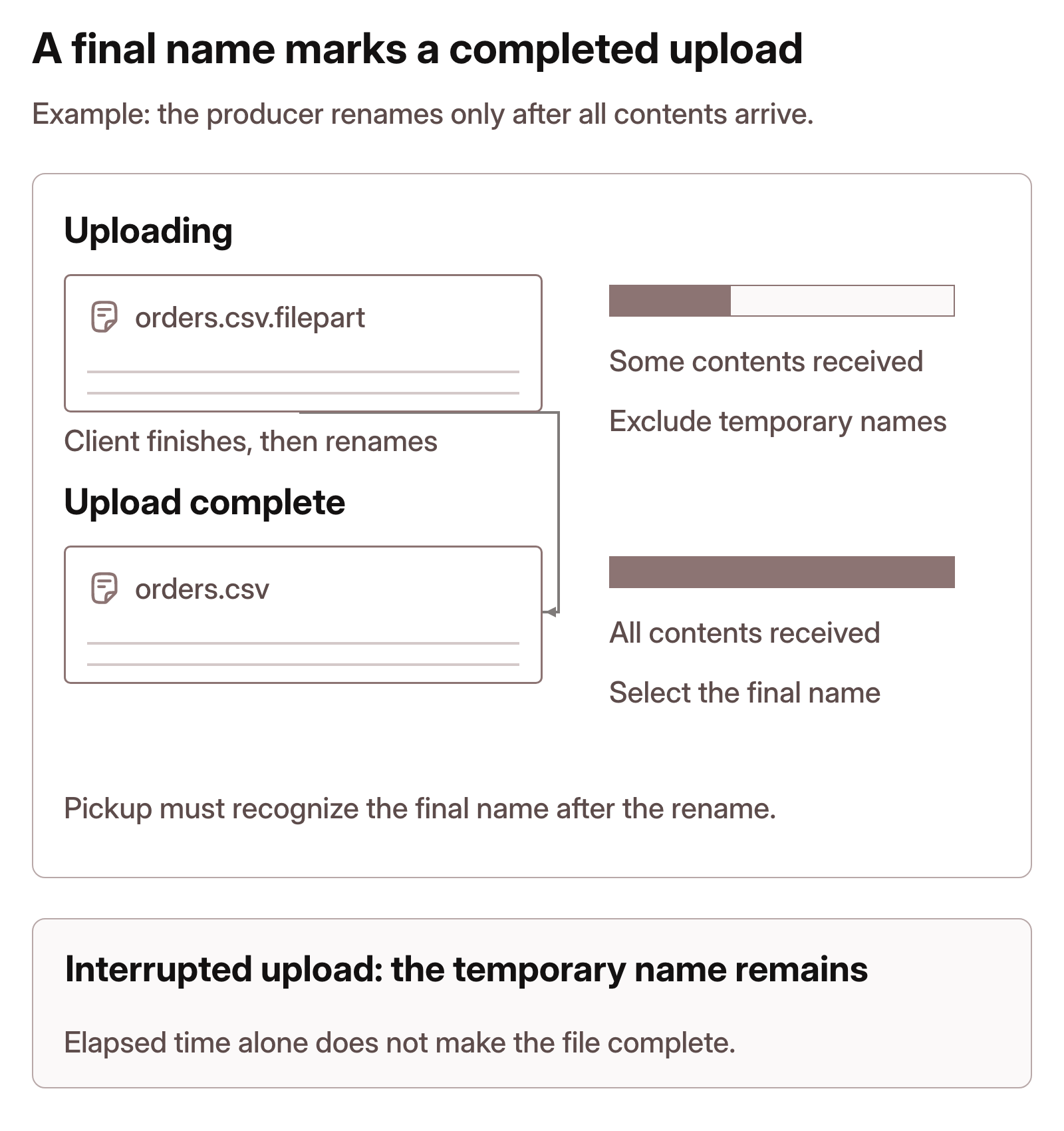
Some FTP client apps implement an approach that uses a temporary file to upload into and then renames the temporary file to its target name. For example, when uploading file.csv a client will upload into a file named something like file.csv.filepart and then, after the complete file contents have been uploaded, rename file.csv.filepart back to file.csv.
FTP client apps can resume the upload only if the partial file remains at its location. Moving, renaming, or processing a partial file prevents the FTP client app from resuming the upload.
To avoid partially uploaded files, use a Files.com native app to perform atomic uploads instead.
If your counterparty is limited to using FTP rather than a Files.com native app, avoid any processing before you know the upload is complete. Avoid implementing Automations, encryption, or Folder Settings on destination folders of FTP uploads because these will act upon partial files.
If you must use Automations on a folder that users upload to via FTP, use v1 filename patterns or v2 file selection to omit partial uploads or temporary file names (e.g., exclude *.filepart, *.partial, *.tmp). When files are uploaded on a predictable cadence, use schedules to delay actions on uploaded files. For example, if you expect files to be uploaded at 9:00 AM then use an automation with a custom schedule set for 10:00 AM (one hour later), so that you allow an extra hour for any remaining data to be uploaded.
A schedule provides time for an upload to finish; it does not prove completion. Excluding temporary filenames works only when the client uses those names until the upload succeeds and then renames the completed file. The pickup method must recognize the completed filename after the rename.