A Tamper-Proof Record Of Everything On Your Site

Files.com writes down every login, every file moved, every permission change, every protocol session, and every setting change. It keeps that record for years, where no one can edit or delete it. Search it in the app, pull it through the API, stream it into your SIEM, or have it delivered as files to your own server. So when an auditor or an investigation asks what happened, you have the answer on hand. Moving to the cloud doesn’t mean losing access to your logs.

You Don’t Lose Your Logs When You Move To The Cloud

When you ran file transfer on-premise, you had hands-on access to every log, in the database and in files on disk. Most teams expect to give that up when they move to a cloud platform. Files.com is built the opposite way. You get all the same information, and more ways to reach it than you had before.

Read it in a genuinely good in-product search. Pull it through the API and CLI. Stream it in real time to your SIEM. Or have it written as files straight to your own on-premise server. The same record, four ways to reach it. Turning any of it on is a setting, not a project.

app.files.com
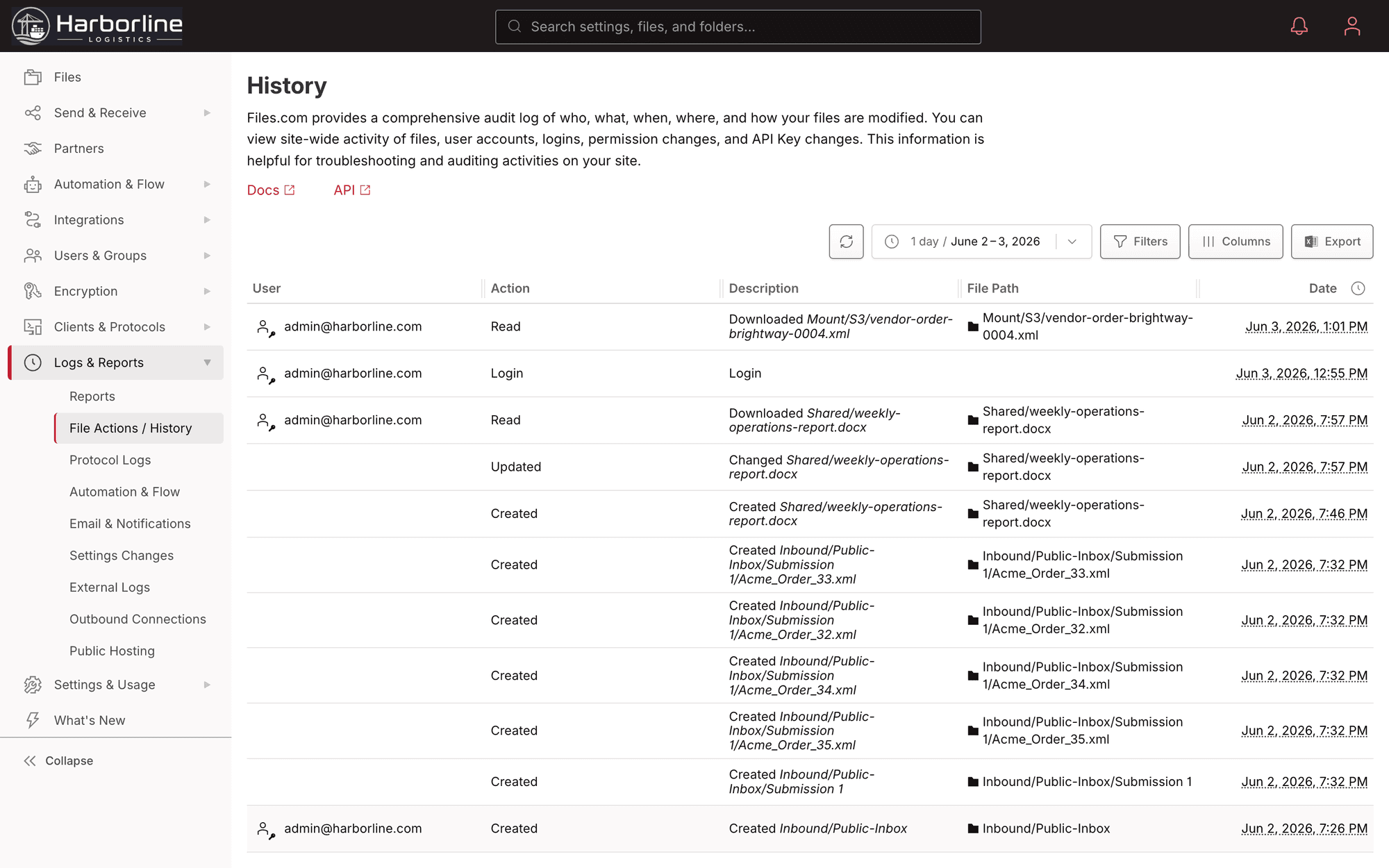
The Files.com activity log: a searchable, time-stamped record of every file action, login, and change

Four Ways To Reach Your Logs

The same complete record, available however your team works: in the browser, in code, in your security stack, or as files on a server you control.

Search It In The App

A real search across your whole activity history, built into Files.com. It is not a raw dump you have to grep. Look up a user, a folder, an IP, or a date range and read exactly what happened, so you answer an auditor’s question in seconds instead of writing a log-parsing script.

Pull It With The API And CLI

Full programmatic access through the same API and CLI that drives the rest of the platform, so your own tooling and scripts read the log directly.

Stream It To Your SIEM

Send every event in real time to Splunk, Microsoft Sentinel, Datadog, Sumo Logic, or New Relic. Any other SIEM works too, over a generic JSON-over-HTTP connector. Files.com activity shows up alongside the rest of your infrastructure, so security watches one screen instead of two.

Get It Delivered As Files

Write timestamped JSON or CSV log files to a folder. Put them on Files.com, in your own cloud bucket, or onto your own on-premise server with the Files.com Agent. The file-based logging workflow you ran on-prem keeps working, so the scripts and tools already pointed at those files don’t change.

What Gets Logged

Every User Action

A per-user history of every login, upload, download, share-link creation, permission change, and key rotation. Each entry records who did it, when, and from which IP.

Every Folder Touched

A per-folder history of every file uploaded, downloaded, moved, copied, or deleted, with who did it, when, and from where. When a file goes missing, you can see exactly what happened to it.

Every Protocol Session

Separate session logs for FTP, SFTP, and WebDAV, each capturing the source IP, the client, the sign-in outcome, and the files touched in that session.

Every Setting Change

Every site-level setting change is logged, with who changed it, when, and what it changed from and to. This is the answer to "who turned off MFA enforcement two weeks ago."

Every Automation And Sync Run

Automation runs, sync runs, webhook deliveries, and API calls all land in the log, with the trigger, the outcome, and any retries recorded.

Every Share And Inbox Event

Every share-link creation, every recipient who opens one, and every inbox submission is captured as its own event, alongside public-hosting access logs.

Stream Every Event Into Your SIEM

Files.com delivers events in real time to the SIEM your security team already runs. There are native integrations for Splunk, Microsoft Sentinel, Datadog, Sumo Logic, and New Relic, plus a generic JSON-over-HTTP connector for any other SIEM. Files.com delivers the events; your SIEM does the correlation, alerting, and dashboards it already does for the rest of your infrastructure.

The audit log itself is on every plan. Real-time SIEM streaming is an Enterprise feature. It’s the trail auditors look for under HIPAA’s audit-control requirement and SOC 2’s monitoring controls, so it stands on its own when the security review asks for one. See what each plan includes on the pricing page.

Compare Plans

“A security-first approach, granular permission model, and detailed audit logging. Easy to enforce least-privilege access across multiple sites.”

Capillary Technologies
Shravankumar Ligadi, Analyst, IT Access ManagementCapillary Technologies

Audit Log Questions

What teams ask about how Files.com records activity, how long it keeps it, and how to get it into their own systems.

See Everything That Happens On Your Site

Start a free trial, turn on logging with one setting, and watch every login, file event, and change land in a tamper-proof record you can search, export, or stream to your SIEM.

No credit card required • Free for 7 days • Live in minutes