Files.com Expands Beyond Traditional SFTP With File Orchestration
January 8, 2026
Files.com has introduced a new category to enterprise software — the File Orchestration Platform — that redefines how organizations approach modern SFTP and managed file transfer.
SFTP, the SSH File Transfer Protocol, has done one job well for decades: move a file securely between two machines. But a file rarely lives between just two machines anymore. It starts on a partner's server, lands in a cloud bucket, gets picked up by a SaaS tool, and ends up in a system of record — each hop a separate setup, with its own login, its own script, and its own gap in the audit trail. Traditional SFTP servers and point-to-point integrations were never built to see that whole journey.
File orchestration is the answer to that sprawl. Instead of stringing together a separate tool for each hop, you run one platform that moves files across people, systems, and clouds — speaking every protocol your partners use, connecting your existing storage, automating the routine transfers, and keeping one complete record of who moved what and when.
What Files.com Is Now
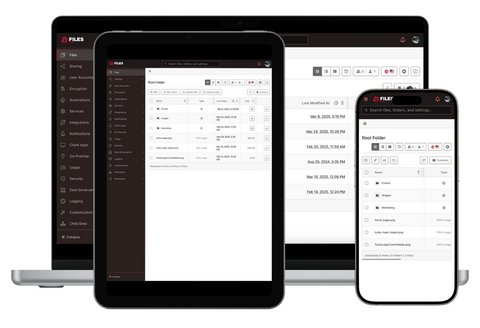
Files.com is the cloud-native File Orchestration Platform: one platform that replaces the stack of tools IT teams run to move files — SFTP and FTP servers, managed file transfer (MFT) suites, file-sharing apps, and the scripts holding them together. It speaks every protocol, connects 50+ cloud and on-prem systems, automates every transfer, and keeps a complete audit trail of every action. Legacy suites sell advanced file transfer as a separate module; on Files.com the routing, retries, and partner visibility it describes are part of the platform.
For SFTP specifically, that means a managed SFTP and FTP endpoint your partners connect to with the clients and logins they already have — but with no server for you to run, patch, or scale. The same endpoint can sit in front of storage you already own, and a file arriving over SFTP can kick off an automated workflow on its own. If you want the plain-language background on the protocol itself, our explainer on what SFTP is and how it works covers it.
Read the full announcement for the complete picture of what file orchestration means for enterprise file transfer.
G2 reviewers named Files.com the #1 easiest-to-use Managed File Transfer platform. Here is why users praise the intuitive interface, fast setup, and automation-friendly workflows.
Files.com has earned FedRAMP Class A certification under FedRAMP 20x. What the certification covers, what comes next, and where to find our security documentation.
Files.com has been recognized as a G2 Grid® Leader for Spring 2025, earning high ratings in customer satisfaction and market presence. See why users trust us for secure, automated file transfer and cloud storage.