Push Sync
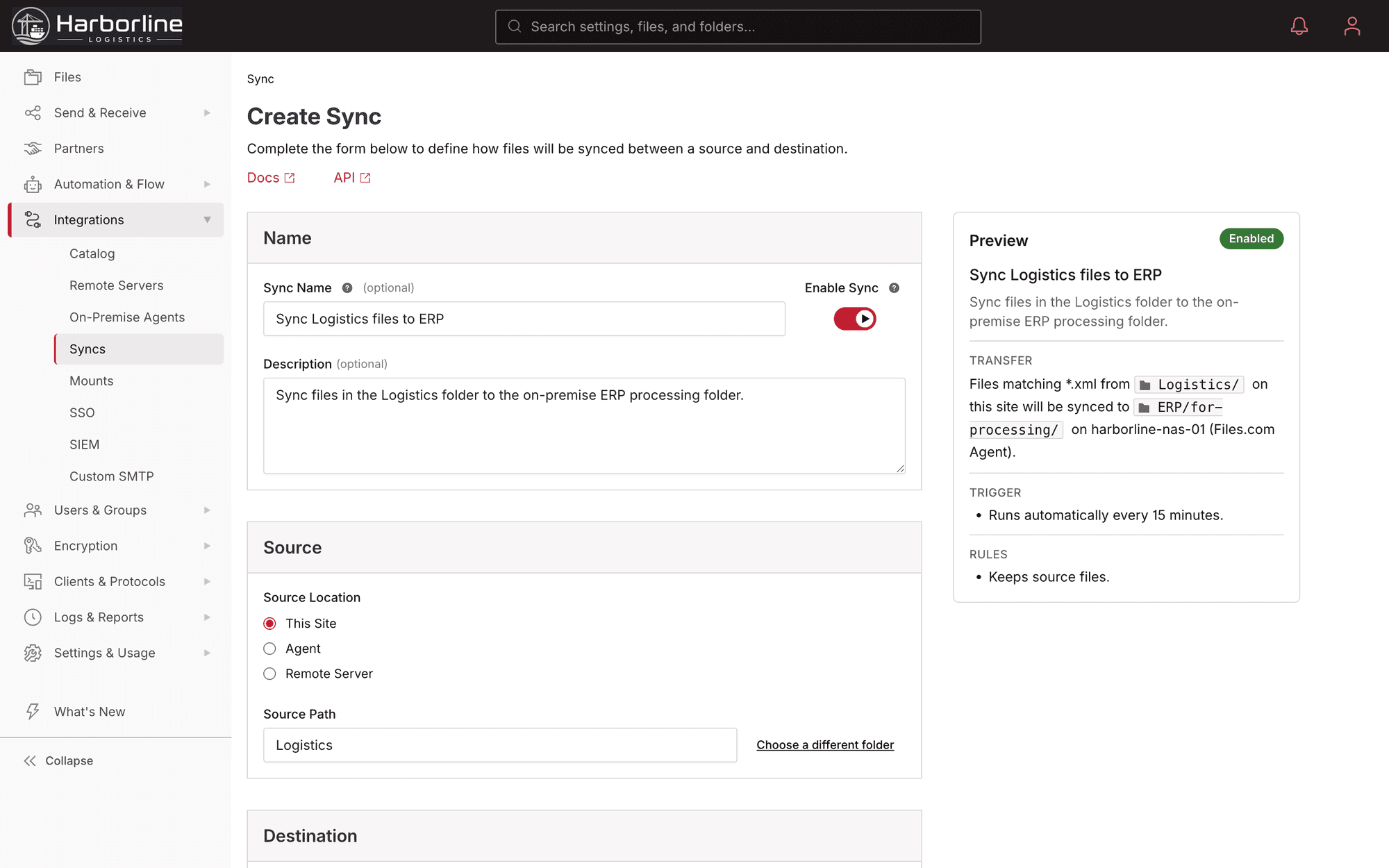
Mirror a Files.com folder out to another system: an S3 bucket, a SharePoint site, a partner’s SFTP server. You make a change in one place and it shows up in the other, so you stop copying files over by hand.
Files.com keeps two or more systems matched, on a schedule or the moment a file changes. A cloud bucket, a SharePoint site, a partner’s SFTP server, a drive in your own building: all kept current with each other. Push one way, pull the other, sync both directions, or mount a remote folder live. You get one setup, one place to see whether the data actually moved, and no middleware to maintain.
Keeping systems in step is usually held together by something fragile: an rsync cron job maintained by an engineer who left, a middleware appliance sitting between a SharePoint tenant and an S3 bucket, or a script that breaks the next time a partner rotates their credentials. You only find out it stopped working when someone asks where the file went.
Files.com Sync is the part of the platform that keeps content current with every other system you run. Configure a sync between a source and a destination, pick a mode and a cadence, and Files.com runs the replication for you. Every run produces a log, every failure surfaces to the audit log and your notification channels, and there is no sync engine for you to operate.
Four ways to keep systems matched. Pick the one that fits the job, from a one-direction mirror to a live window onto storage that lives somewhere else.
Mirror a Files.com folder out to another system: an S3 bucket, a SharePoint site, a partner’s SFTP server. You make a change in one place and it shows up in the other, so you stop copying files over by hand.
Bring files in from somewhere else on a schedule: a partner SFTP drop, a cloud bucket, or a network drive in your office. Files.com always has the latest copy, so nobody has to remember to go fetch it.
Keep two systems matched in both directions at once. A change on either side shows up on the other, so both stay current without anyone copying files by hand.
Skip the copy entirely. The remote folder shows up as a normal Files.com folder in real time. The other system stays the storage, and Files.com just presents it.
Amazon S3, Azure Blob, Google Cloud Storage, Wasabi, Backblaze B2, Cloudflare R2, and more, kept in step with Files.com on the cadence you set.
SharePoint, OneDrive, Google Drive, Box, Dropbox, Egnyte, and Citrix ShareFile, synced into and out of Files.com with no middleware in between.
SMB shares, NFS exports, and local disks in your own building reach Sync through the Files.com Agent over an outbound-only connection, so you open no inbound firewall port.
On its own, a file platform is just one more place your data lives. Sync connects it to the rest of your systems. The Cloud SFTP endpoint, the desktop and mobile apps, and the automation engine all work on the same files, and Sync keeps those files matched with every other system you already use.
A sync can run on a schedule. It can also be a step inside an automated workflow. A partner file lands over SFTP, the workflow pulls the latest data in, runs the sync, and hands it off downstream, with no one touching it. So your files stay current as part of the work that is already running, not as a chore someone has to remember.
“Great connectivity with virtual server connections — seamless SFTP from one host to another, easy to set up, manage, and monitor.”

What teams ask about keeping Files.com matched with their clouds, apps, and on-premise servers.
Start a free trial, connect a source and a destination, and let Files.com keep them matched: one direction, both directions, or a live mount. No middleware, no scripts, one log for the whole thing.
No credit card required • Free for 7 days • Live in minutes